

Eleanor Yang
Visual Designer
.png)
Fidelity
Interaction Design, UX Research, Prototyping
14 Weeks
Personal Work
A rebrand for Fidelity Investments redefining how people build, manage, and pass on wealth, from first savings to lasting legacies.
I repositioned Fidelity as a calm, human guide. The identity and app system surface what matters now, explain what’s next, and adapt seamlessly to each life stage.
I repositioned Fidelity as a calm, human guide. The identity and app system surface what matters now, explain what’s next, and adapt seamlessly to each life stage.
Fidelity
Interaction Design, UX Research, Prototyping
14 Weeks
Personal Work
A rebrand for Fidelity Investments redefining how people build, manage, and pass on wealth, from first savings to lasting legacies.
I repositioned Fidelity as a calm, human guide. The identity and app system surface what matters now, explain what’s next, and adapt seamlessly to each life stage.
I repositioned Fidelity as a calm, human guide. The identity and app system surface what matters now, explain what’s next, and adapt seamlessly to each life stage.
Brand Narrative
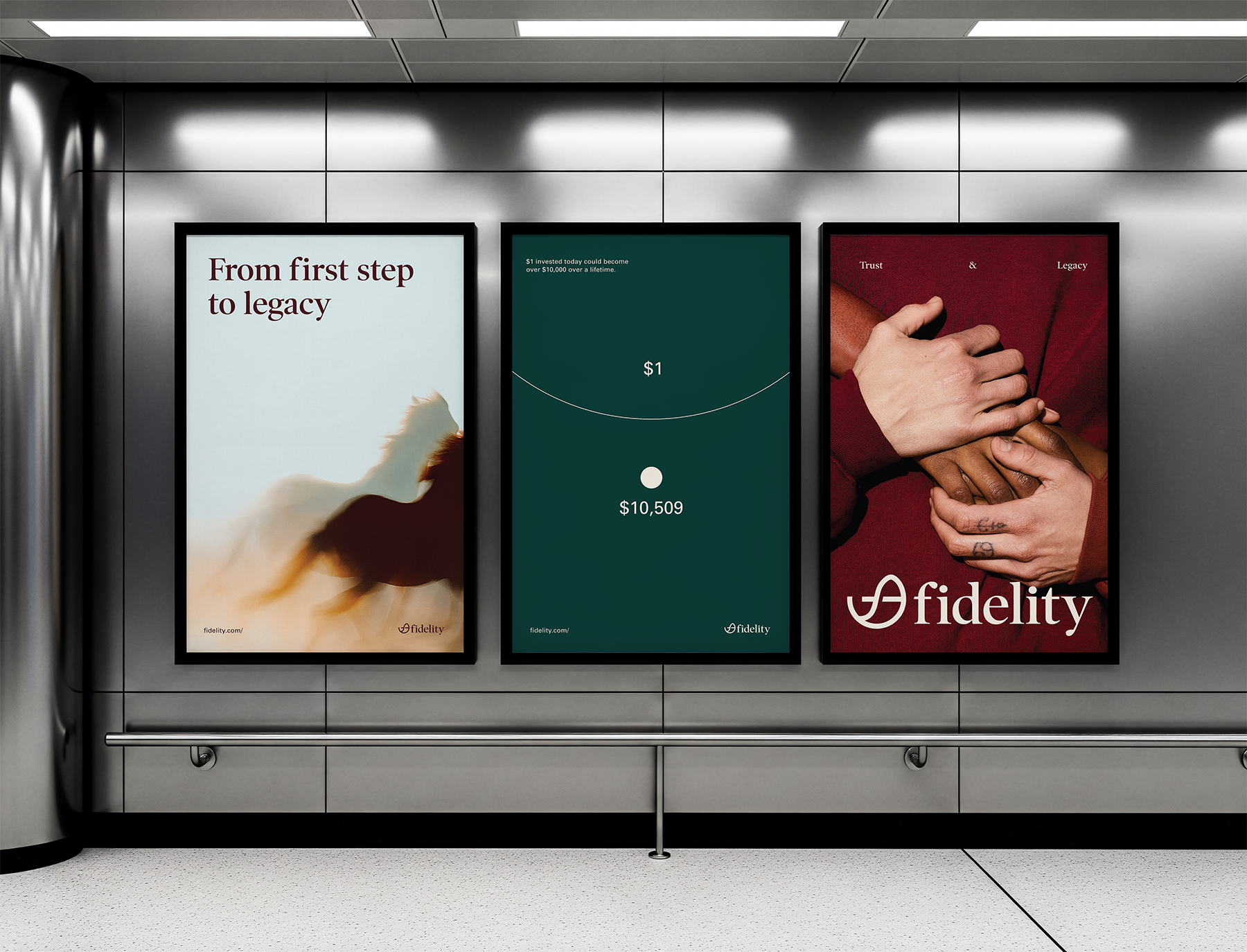
Fidelity has evolved from a powerhouse of investment tools into a calm, human centered guide that accompanies users through every life stage. This rebrand focuses on a diverse audience by tailoring the experience to their unique needs, from quiet beginners to busy midlife jugglers and thoughtful legacy builders.
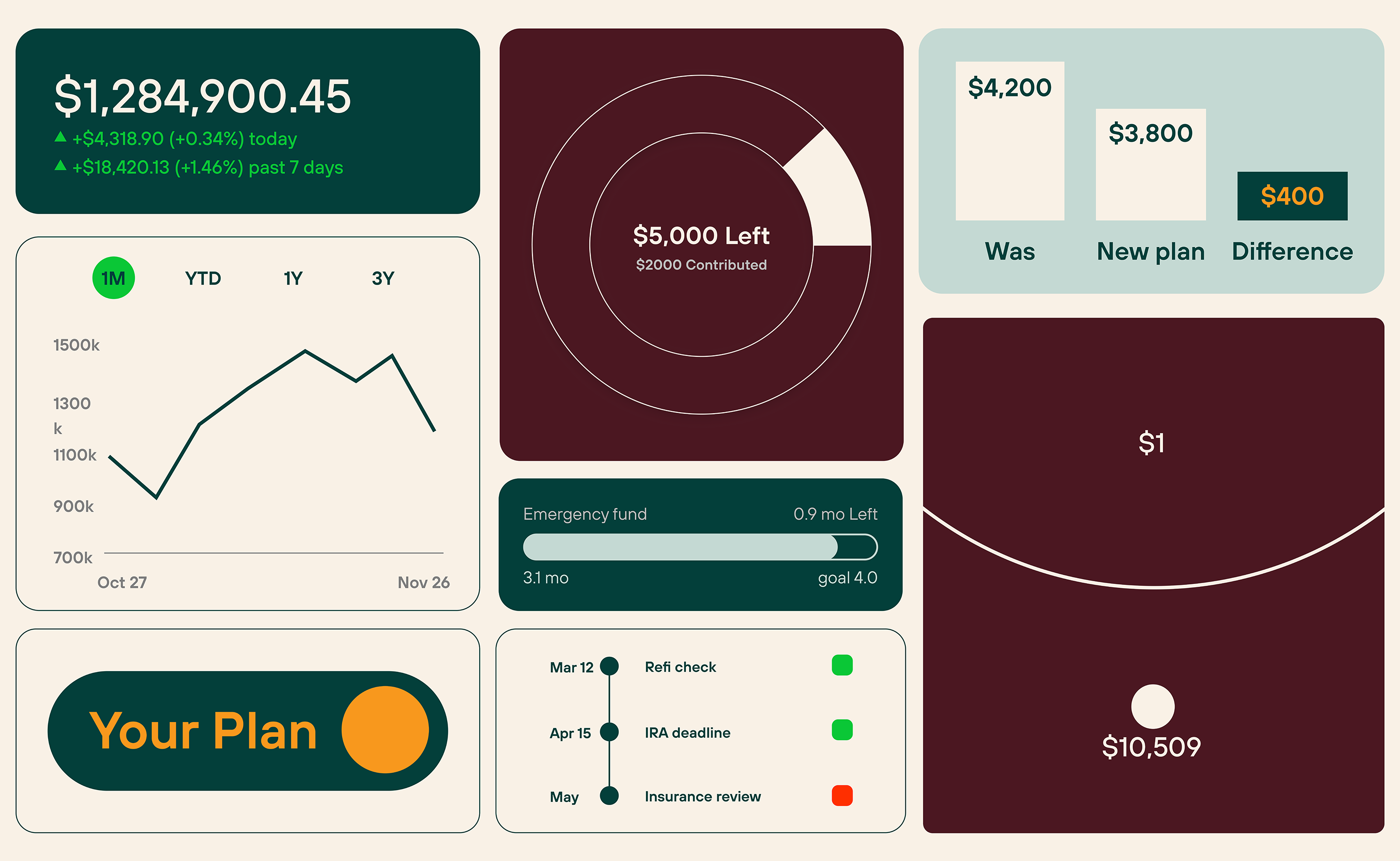
I crafted a warm, forward looking visual identity and voice that radiates clarity, emotional relevance, and quiet confidence. The redesigned app introduces adaptive modes, guided journeys, and milestone tracking that make powerful tools feel intuitive and personal.
The goal was to create a platform that feels truly made for the user, empowering rather than overwhelming. It’s about understanding real financial journeys and building meaningful, lasting connections across generations.
I crafted a warm, forward looking visual identity and voice that radiates clarity, emotional relevance, and quiet confidence. The redesigned app introduces adaptive modes, guided journeys, and milestone tracking that make powerful tools feel intuitive and personal.
The goal was to create a platform that feels truly made for the user, empowering rather than overwhelming. It’s about understanding real financial journeys and building meaningful, lasting connections across generations.
.png)
Interface Design
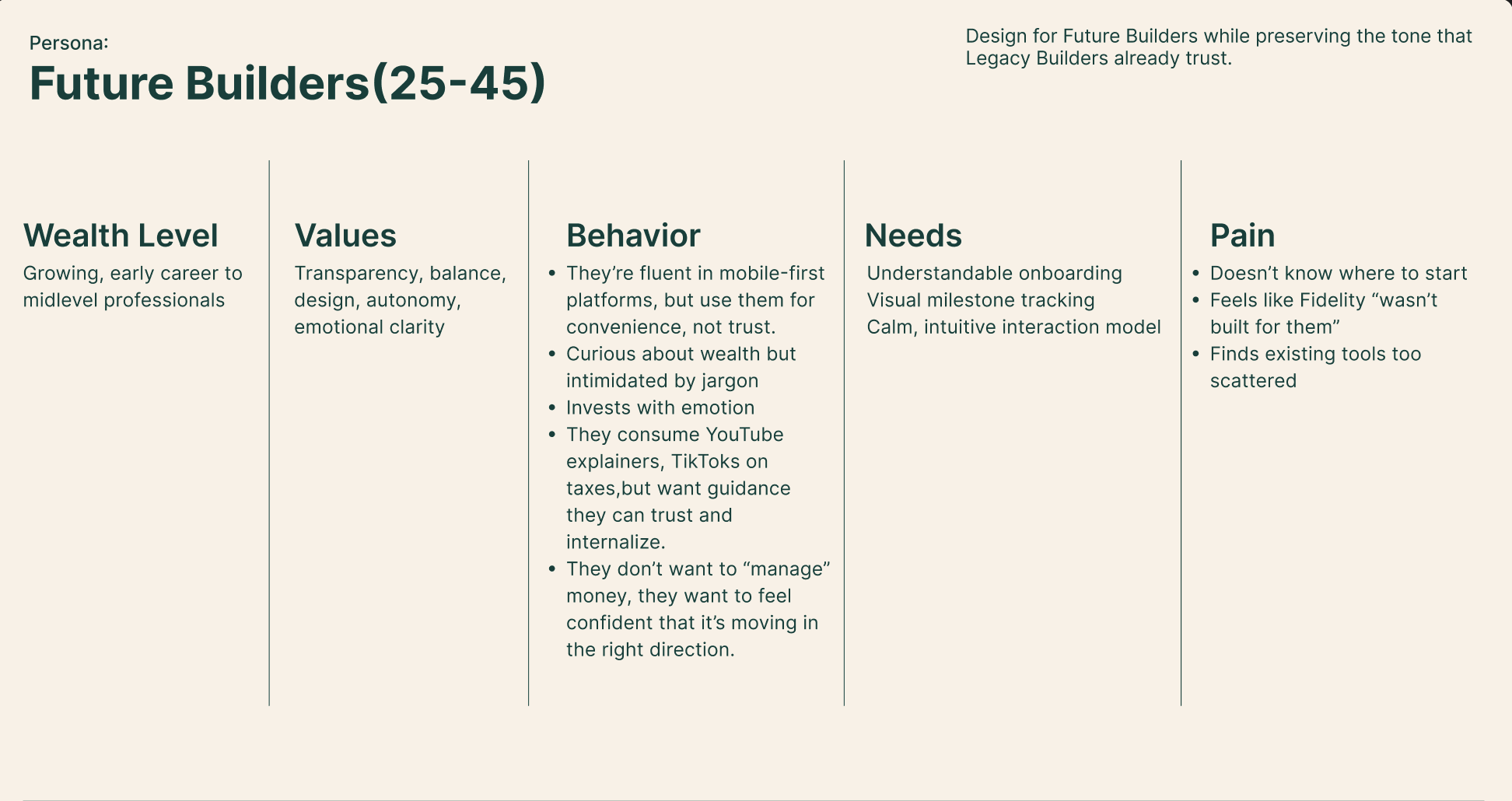
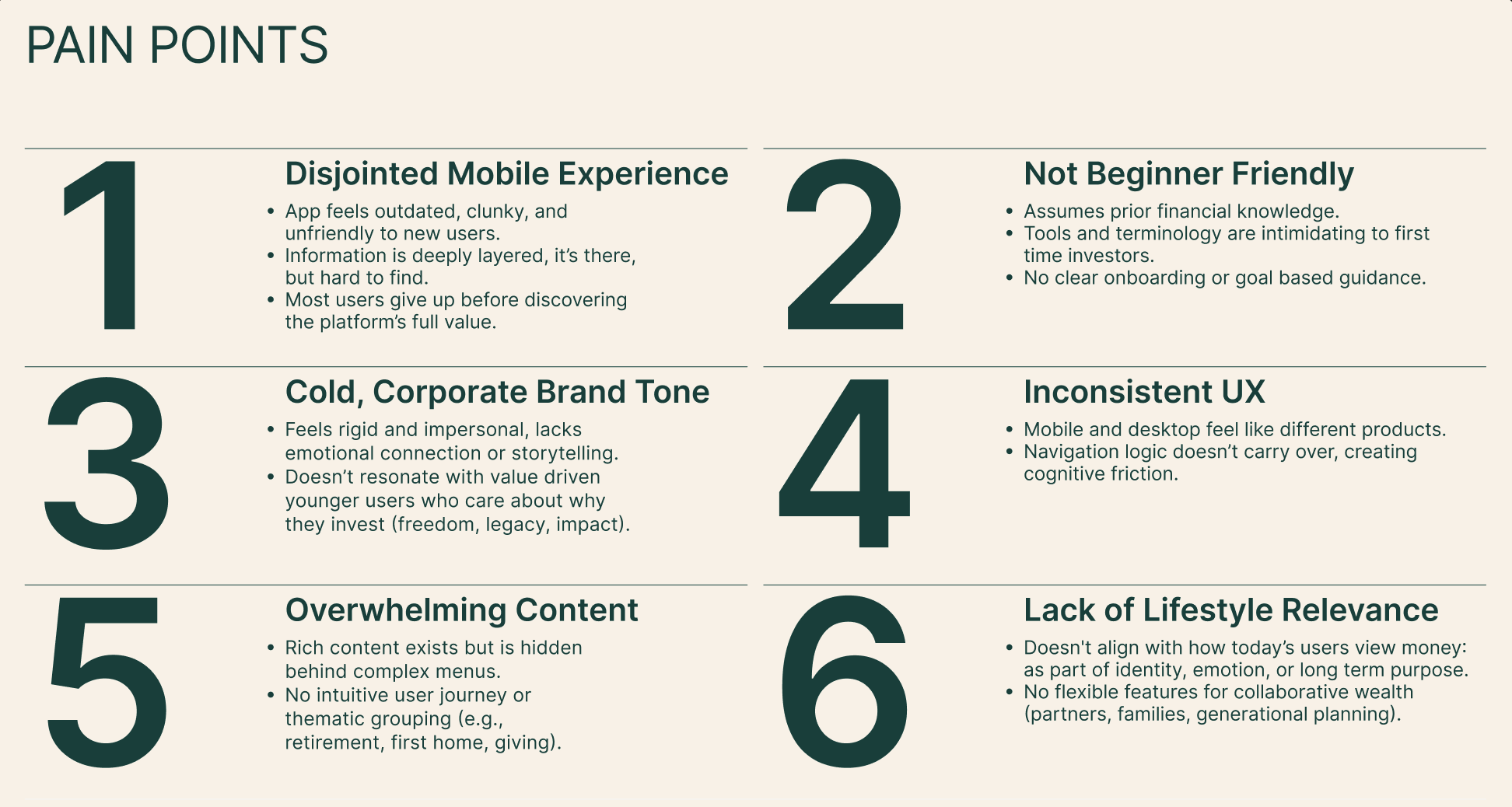
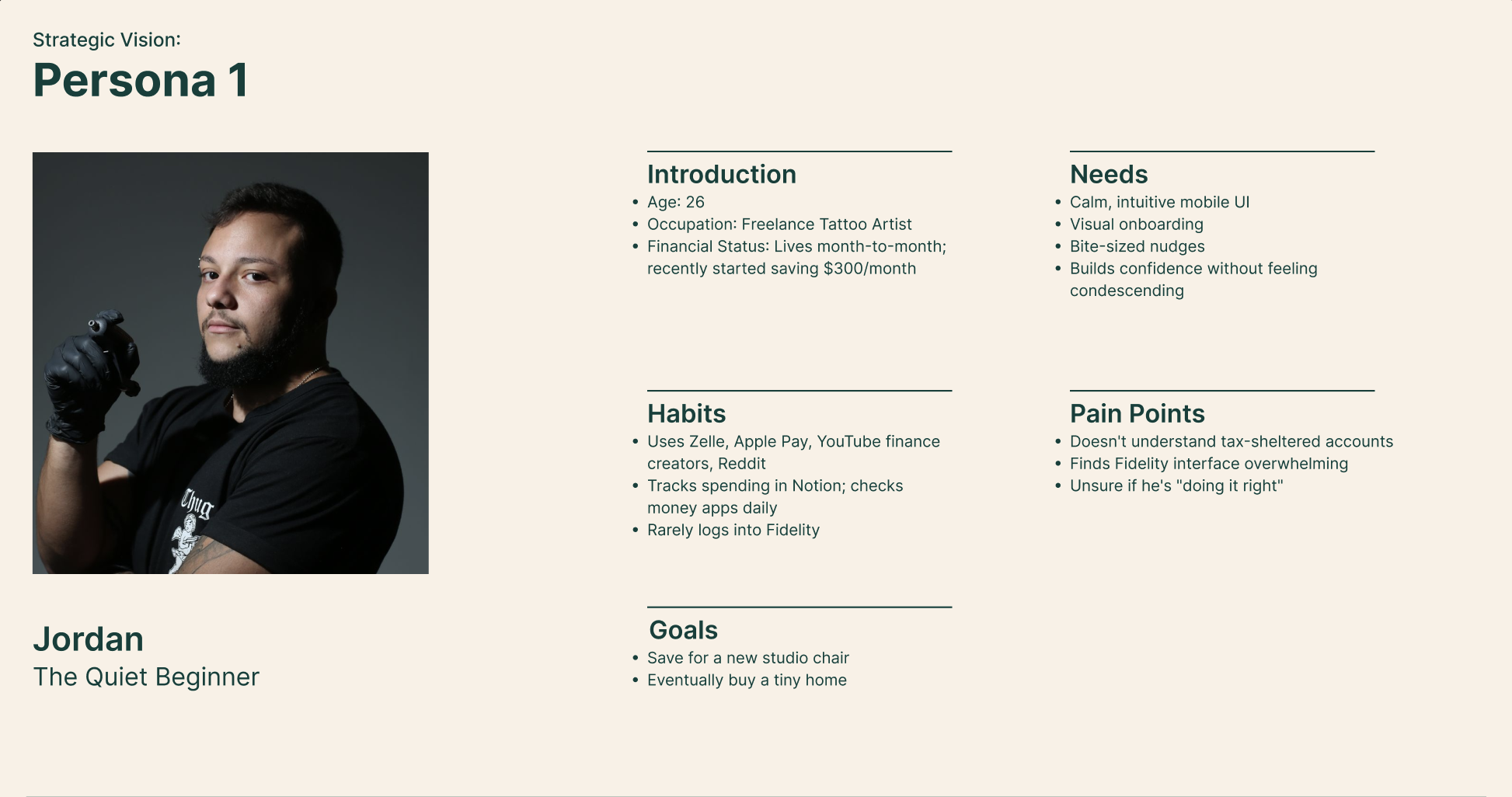
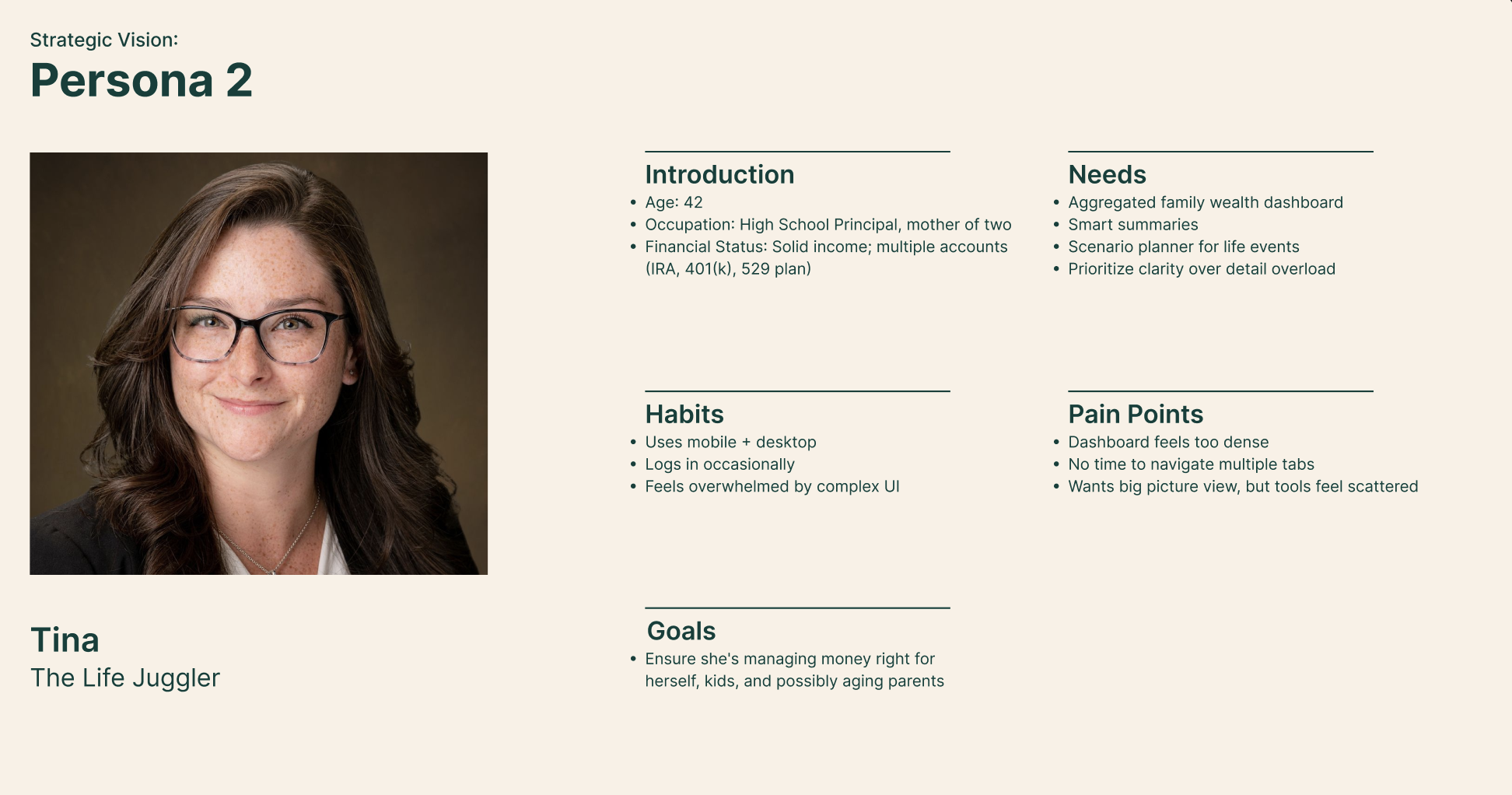
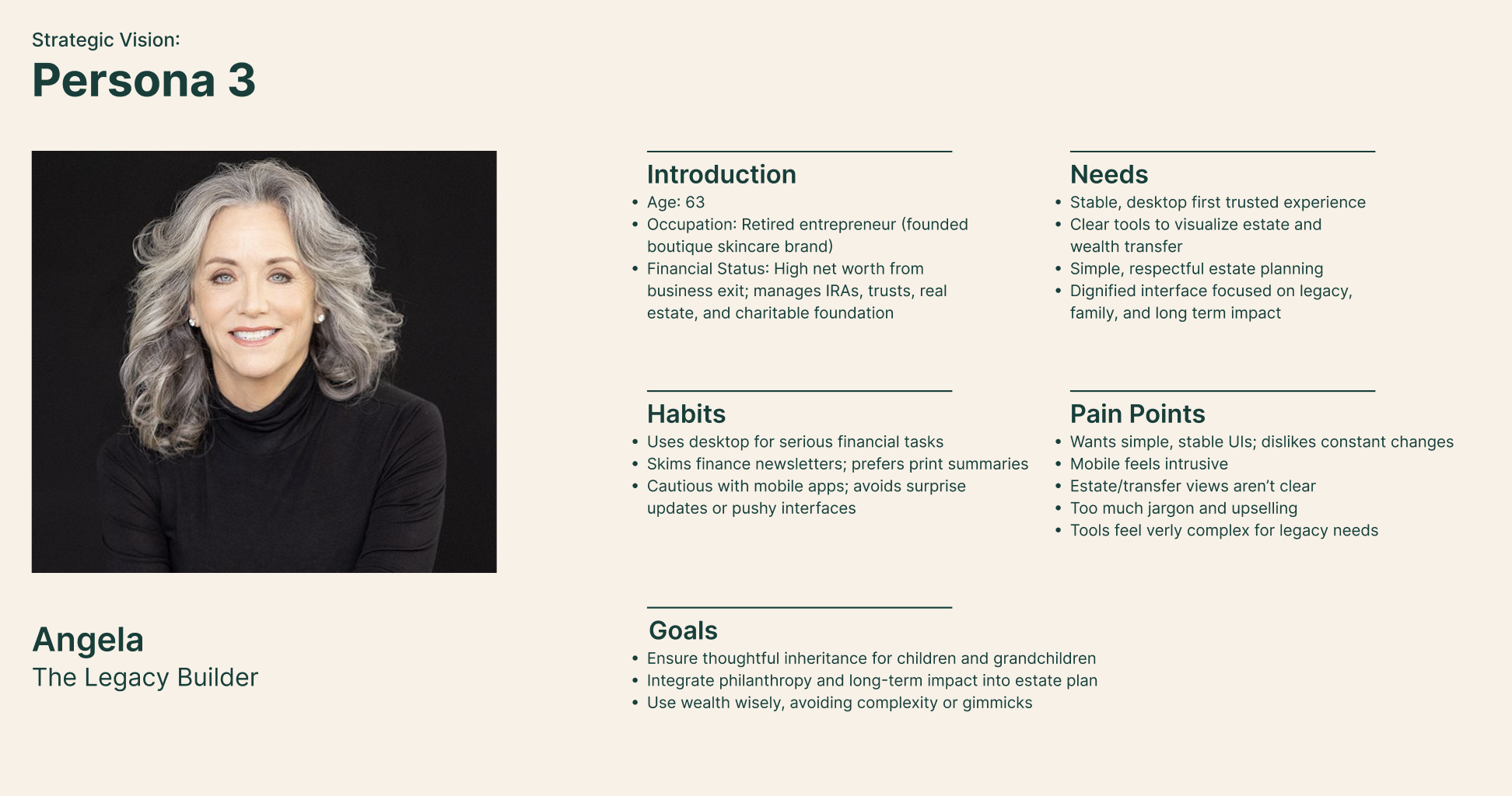
The redesign prioritizes younger demographics (25-45) while honoring the calm, trustworthy tone that older users rely on. Drawing from pain points like scattered tools, jargon heavy interfaces, and disjointed experiences, I focused on simplification, emotional storytelling, and modular navigation to reduce cognitive load and build intuitive habits. Three adaptive modes bring the three personas to life, each with tailored UI, navigation, guidance, and scenario flows.
1) Beginner Flow (Age: 22)
Scenario 1:
This flow shows how Fidelity reduces stress for beginners through simple onboarding and a clear mode choice. Getting Started mode limits complexity, and the Translator tool instantly turns financial jargon into plain words to build confidence from day one.
This flow shows how Fidelity reduces stress for beginners through simple onboarding and a clear mode choice. Getting Started mode limits complexity, and the Translator tool instantly turns financial jargon into plain words to build confidence from day one.
Scenario 2:
This scenario demonstrates how beginners learn through guided visuals. The Strategy page uses a small “What If” tool to show outcomes clearly and suggests realistic next steps, helping new investors understand actions without guesswork.
This scenario demonstrates how beginners learn through guided visuals. The Strategy page uses a small “What If” tool to show outcomes clearly and suggests realistic next steps, helping new investors understand actions without guesswork.
2) Life Juggler Flow (Age: 42)
Scenario 3:
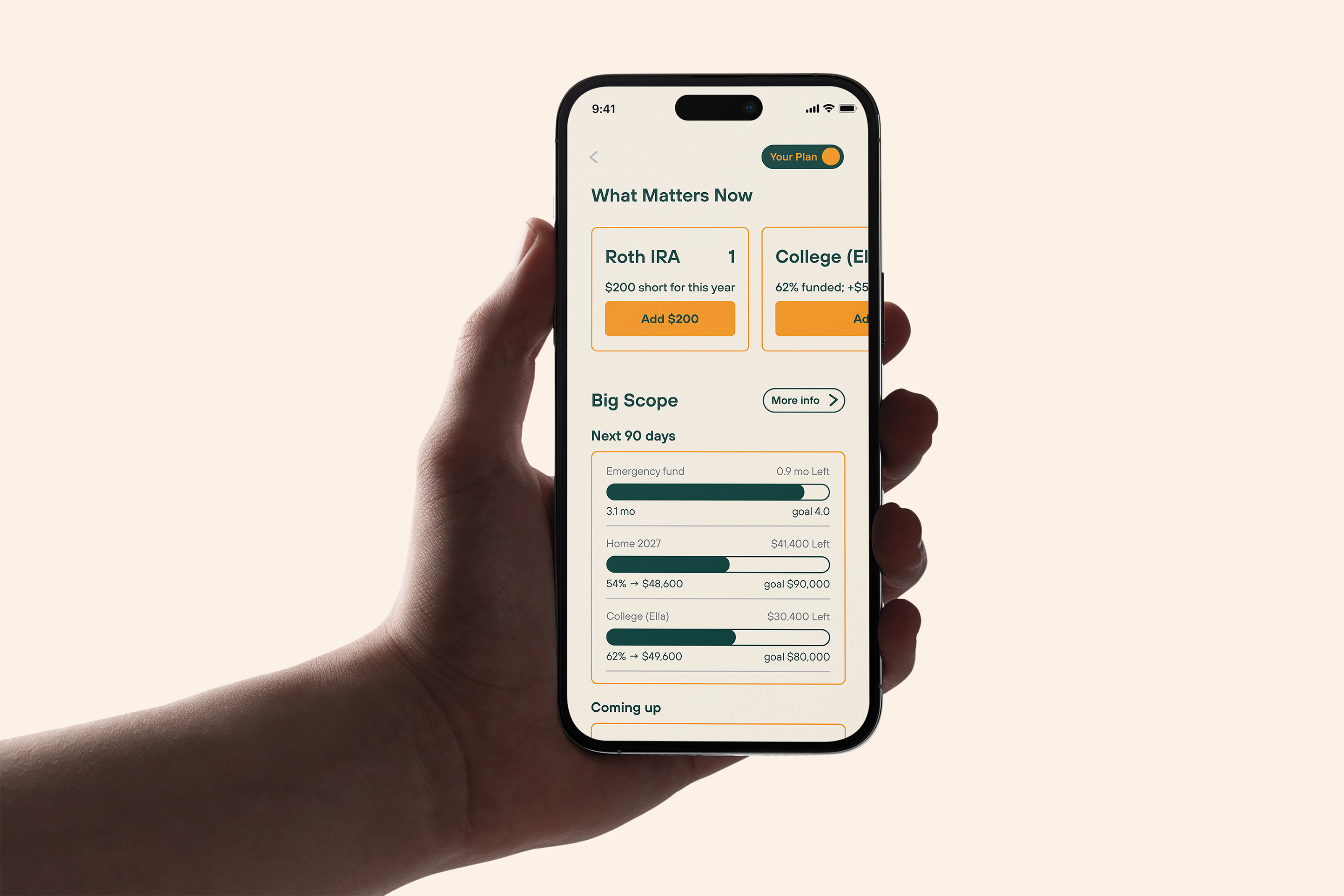
This scenario shows how Fidelity helps a busy user stay organized with a balanced overview and quick actions. Builder mode surfaces the most important information first, keeps contributions and transactions simple, and uses the Strategy page to highlight deadlines, goals, and next steps.
This scenario shows how Fidelity helps a busy user stay organized with a balanced overview and quick actions. Builder mode surfaces the most important information first, keeps contributions and transactions simple, and uses the Strategy page to highlight deadlines, goals, and next steps.
3) Legacy Builder Flow (Age: 62)
Scenario 4:
This prototype focuses on long term clarity and trust. Legacy mode highlights trusted contacts, stable actions, and a calm overview of the user’s financial life. The Profile area stays minimal so essential controls are always easy to find.
This prototype focuses on long term clarity and trust. Legacy mode highlights trusted contacts, stable actions, and a calm overview of the user’s financial life. The Profile area stays minimal so essential controls are always easy to find.
UX Strategy & Structure
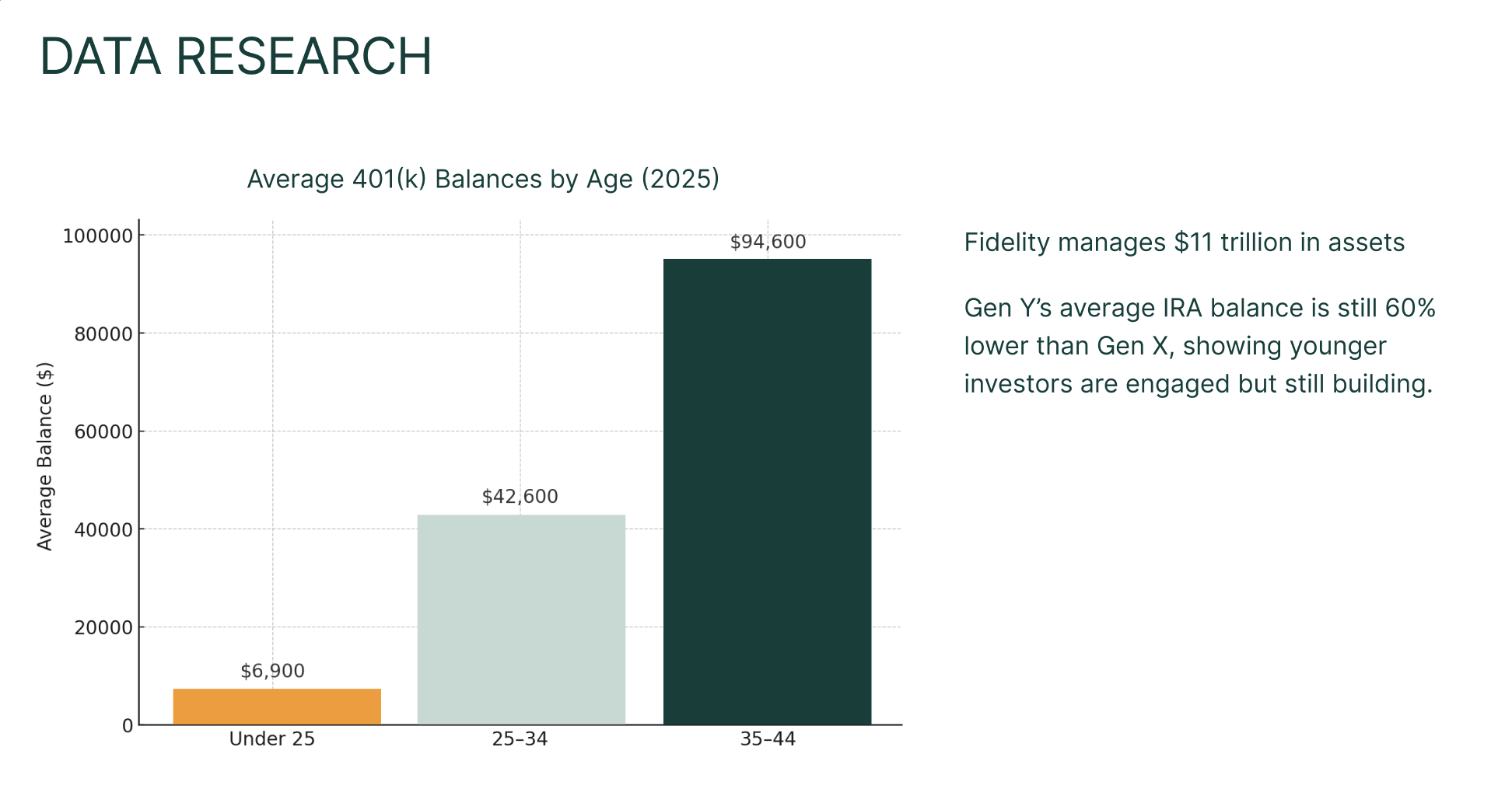
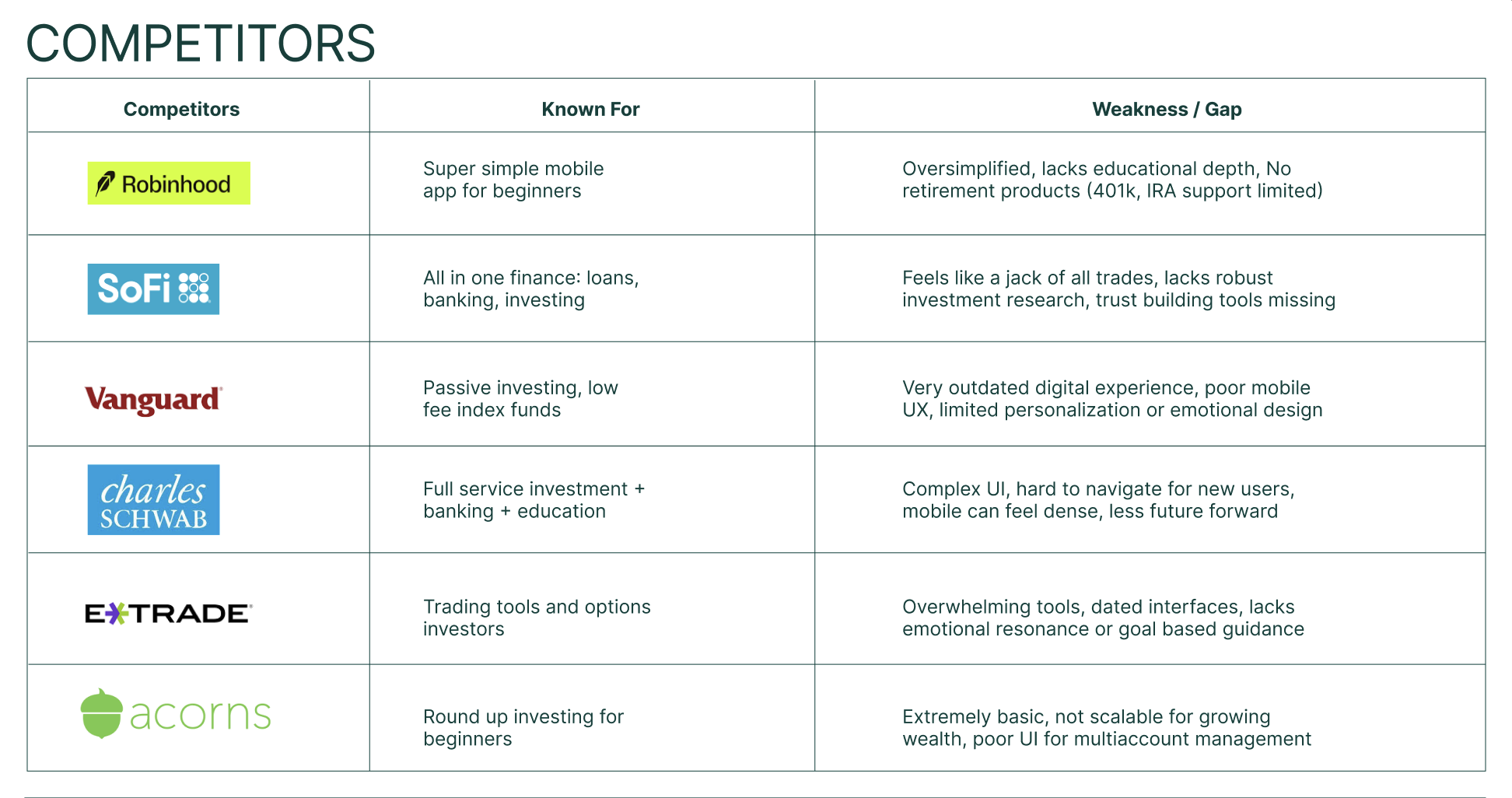
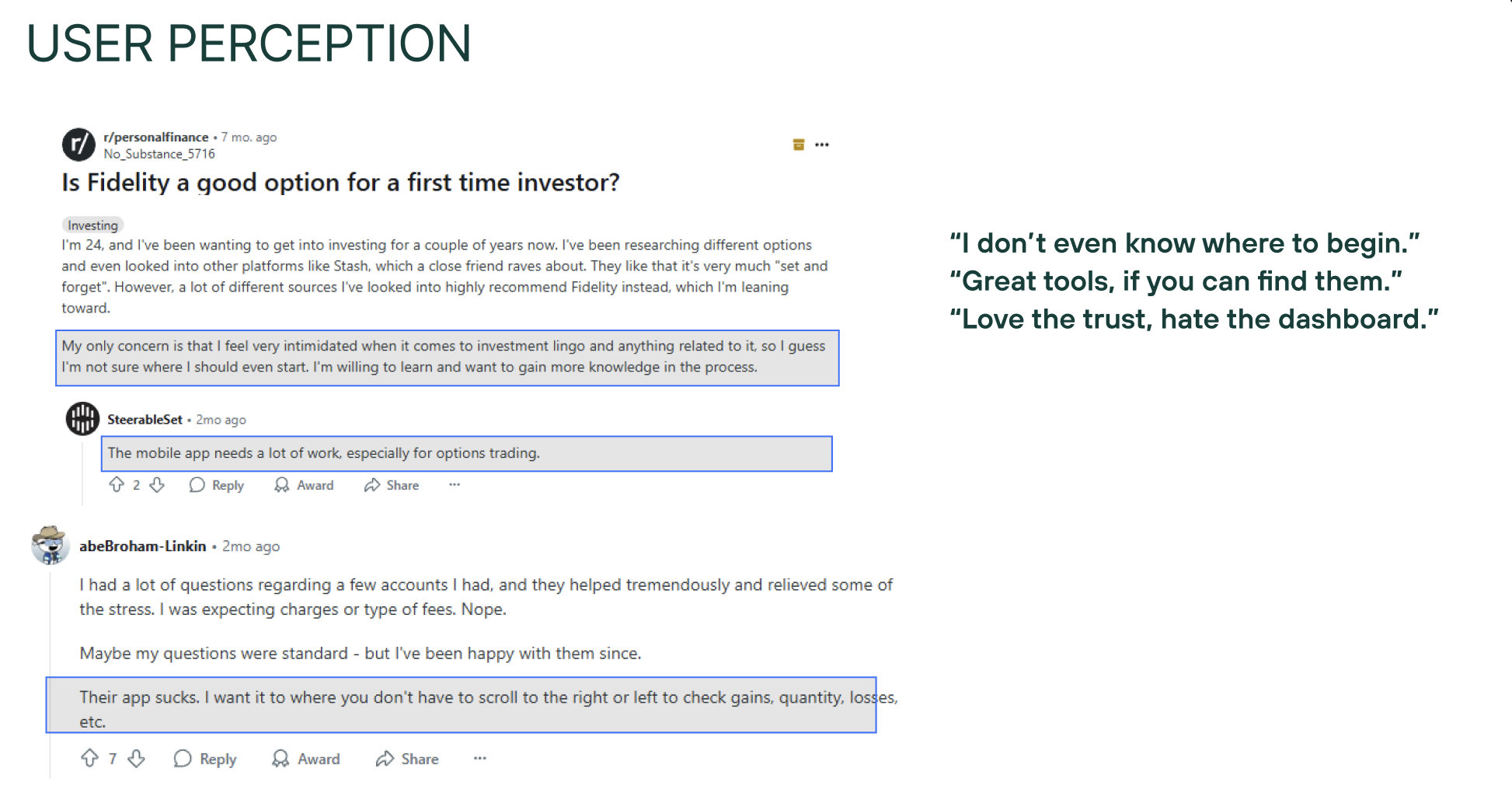
The UX strategy began by analyzing Fidelity’s current experience, revealing a key gap: deep trust in the brand, but digital tools that feel scattered, jargon heavy, and detached from real life goals.
Research with three personas, led to an adaptive structure built around three modes that tailor UI, navigation, and guidance to each life stage.
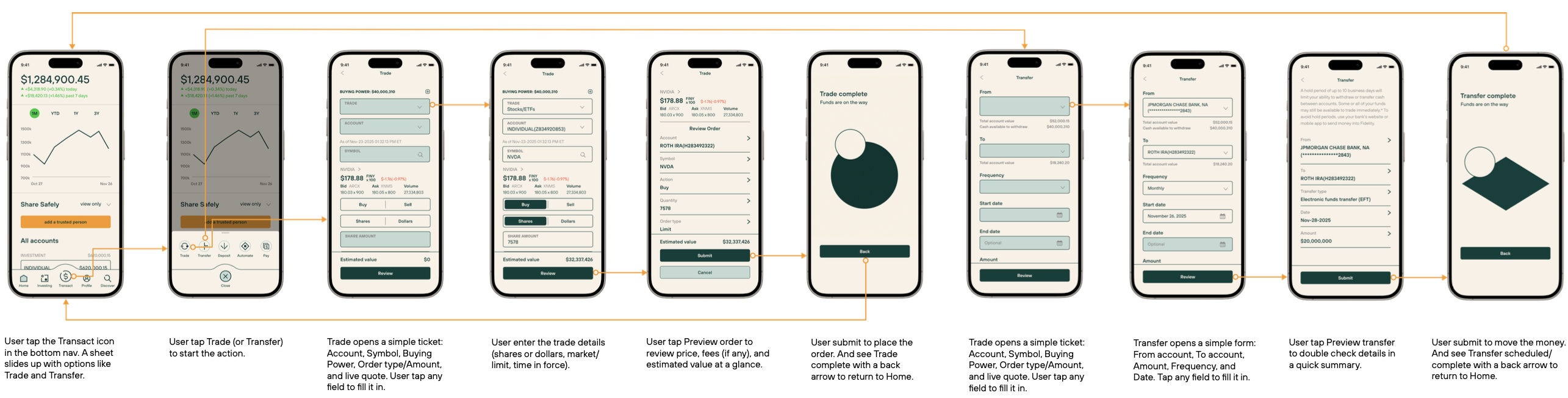
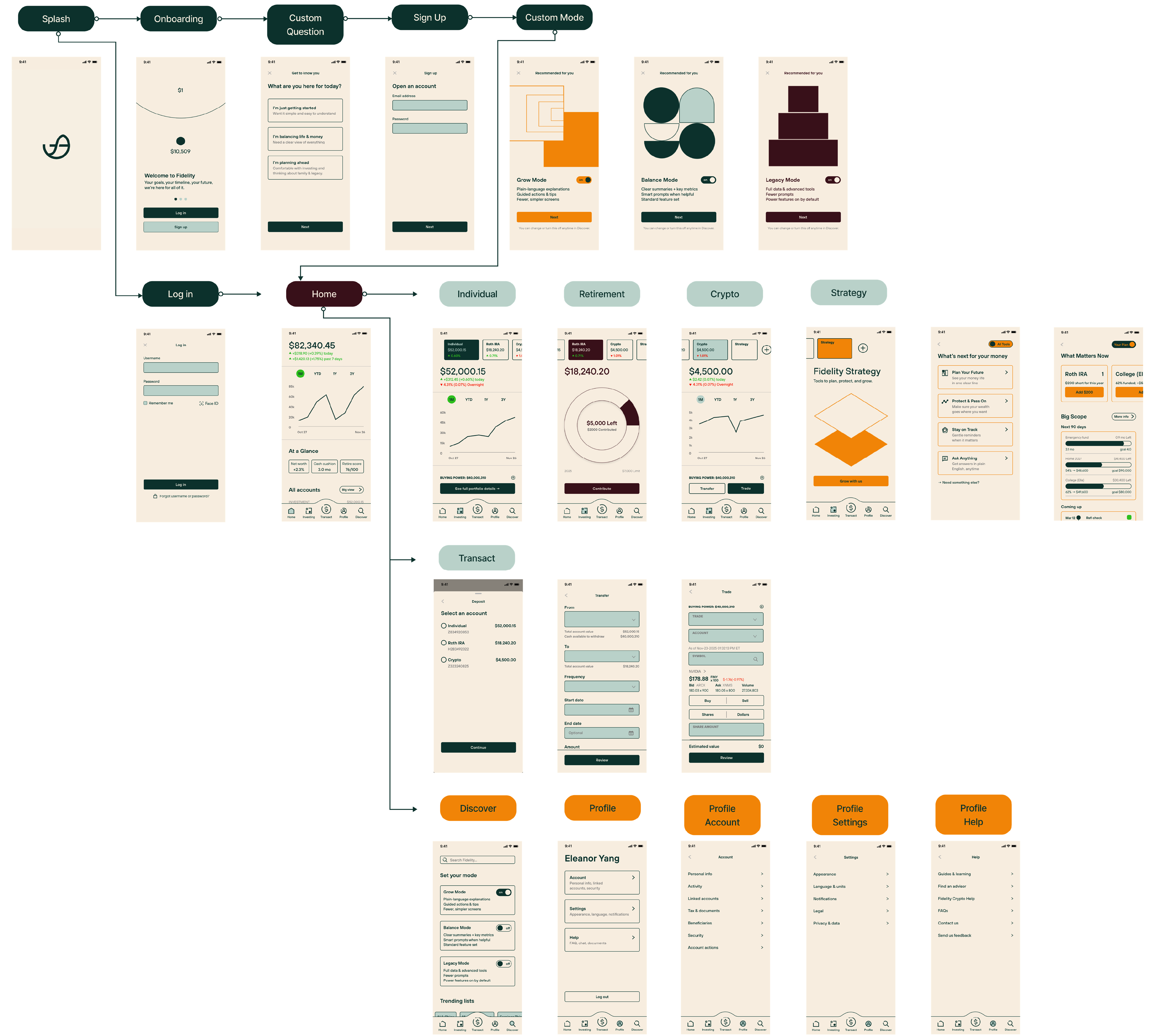
I organized the information architecture into five core pillars: Home, Wealth, Transact, Discover, and Profile. Key flows (trading, transferring, exploring, goal planning) were simplified into progressive, low friction steps that maintain depth for advanced users. Scenario based flows directly shaped the structure, ensuring the experience surfaces immediate needs while gently revealing next steps, creating a cohesive system that feels calm, relevant, and truly lifelong.
Research with three personas, led to an adaptive structure built around three modes that tailor UI, navigation, and guidance to each life stage.
I organized the information architecture into five core pillars: Home, Wealth, Transact, Discover, and Profile. Key flows (trading, transferring, exploring, goal planning) were simplified into progressive, low friction steps that maintain depth for advanced users. Scenario based flows directly shaped the structure, ensuring the experience surfaces immediate needs while gently revealing next steps, creating a cohesive system that feels calm, relevant, and truly lifelong.
1) Information Architecture

2) User Flow
3) Sitemap
Identity Design
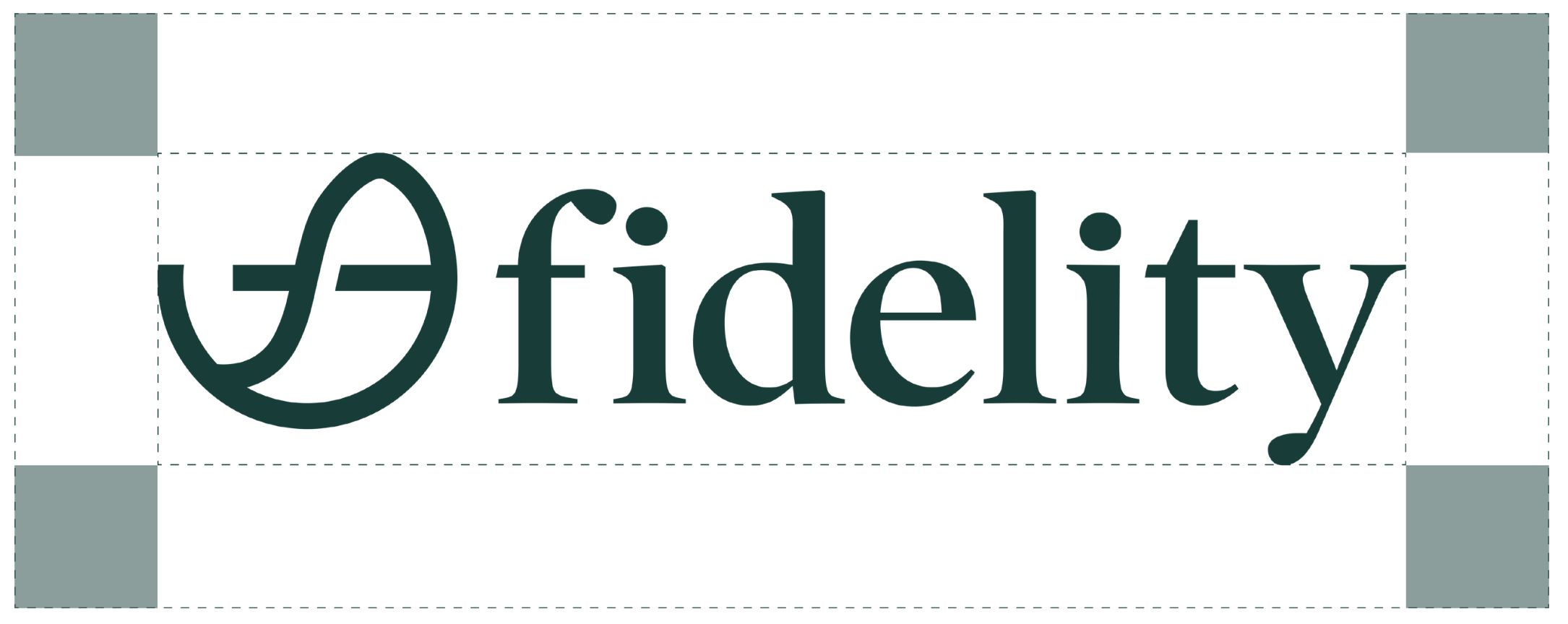
1) Logo Design
2) Graphic elements









3) Iconography & Components

4) Components


Process
1) Brand Strategy
Software: Figma, Photoshop, Illustrator, After Effects, Media Encoder
* The images and videos only use for educational and non commercial use.